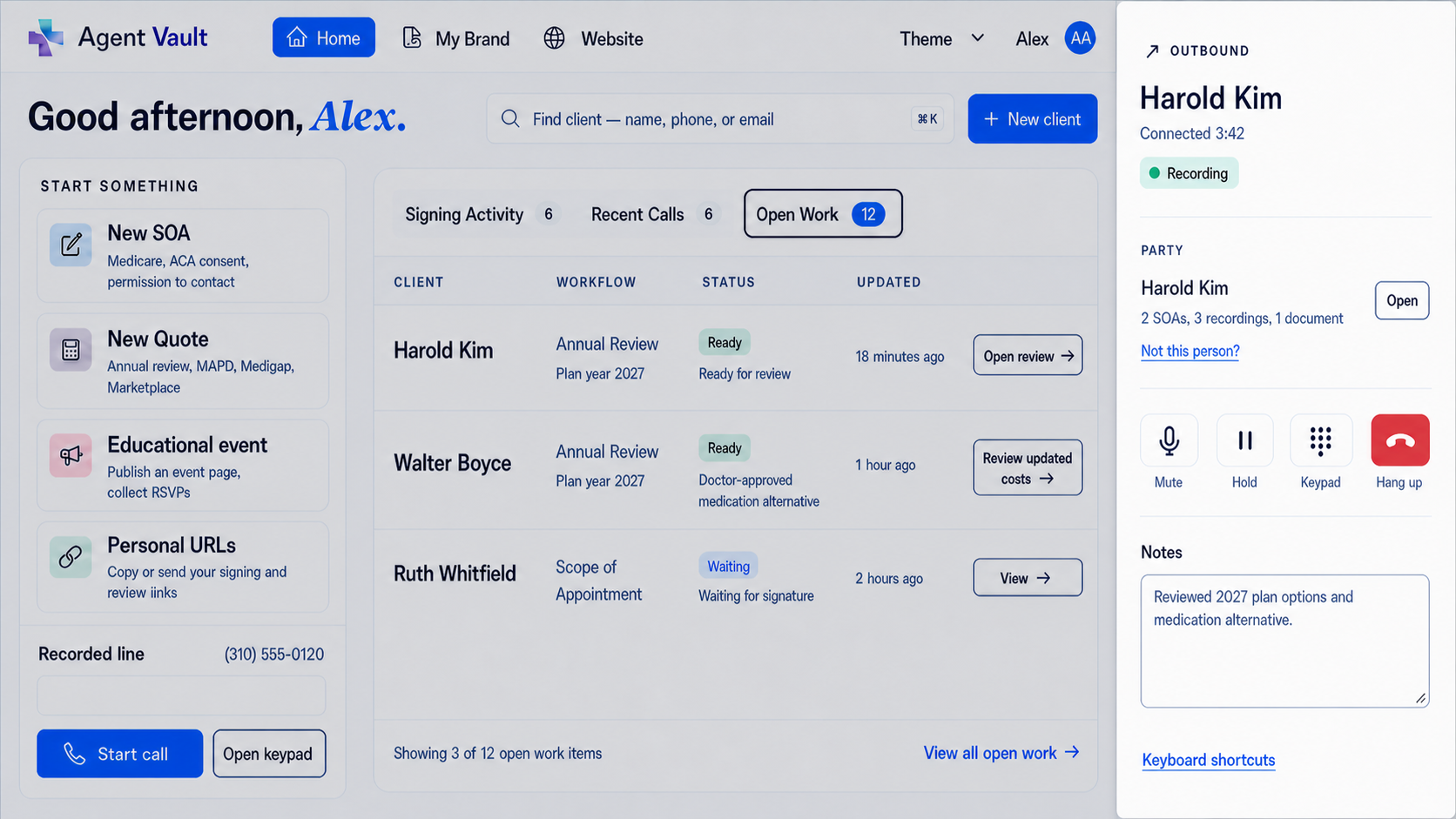
Business line and secure vault for Medicare and ACA insurance agents

Agent Compliance Vault + Recorded Bridge Line

Recorded Business Line for Medicare and ACA Agents

Use a dedicated recorded business line for Medicare and ACA sales conversations, then keep the call recording with the related Scope of Appointment, ACA consent record, eligibility review documentation, telephonic enrollment file, notes, uploads, and supporting sales documents.

Business Line + Vault is built for licensed agents who need more than a generic phone line. The line helps you handle the call. The vault helps you keep the proof.

$39.99/month after trial. Cancel any time. Downgrade to Vault Only when you do not need the active recorded line.

Dedicated recorded business line Calls stored with the SOA, ACA & enrollment file State-aware recording prompts Exportable records · Vault Only off-season

Business Line + Vault gives you the recorded-line and recordkeeping workflow. You remain responsible for using your approved scripts, disclosures, carrier procedures, FMO guidance, agency policies, state recording notices, consent process, privacy rules, and enrollment workflow.

Why this exists

Your phone line should not be separate from your compliance records

A lot of agents can find a phone service that records calls. The harder part is what happens after the call.

The recording may sit in a phone dashboard. The SOA may be in an email. The ACA consent record may be in a separate tool. The enrollment note may be in a CRM. Supporting documents may be in Google Drive, Dropbox, a desktop folder, or an old FMO account.

That is not one compliance file. That is a scavenger hunt.

Business Line + Vault is built around the real workflow of independent Medicare and ACA agents. You get a recorded business line for client calls, plus a secure vault where the related records can stay together.

When a carrier, agency, FMO, compliance team, CMS reviewer, Marketplace reviewer, or consumer asks what happened, you should not have to rebuild the file from five disconnected systems.

Record the call. Connect the record. Keep the proof.
Vault record for one Medicare client showing signed Scope of Appointment forms, call recordings, and documents together in a single file
One client, one file: signed SOAs, call recordings, and supporting documents stored together — not scattered across a phone app, an email inbox, and a cloud folder.

Medicare call recording software

Medicare call recording software for agents

Many agents search for a CMS compliant phone system because they do not only need a business number. They need a repeatable way to record required Medicare calls, follow notice and consent procedures, connect the recording to the SOA or enrollment file, and retrieve the record later.

CMS's CY2027 final rule keeps the recording requirement for Medicare marketing and sales calls and changes the retention framework: marketing and sales call records must be retained for at least six years; audio is required for years one through three; and years four through six may use audio or a complete and accurate transcript. Enrollment records remain on a separate retention track.

Business Line + Vault is not compliance autopilot. It is a phone-and-vault workflow for the records Medicare and ACA agents need to keep organized.

Use a dedicated recorded business line for Medicare and ACA calls.
Record calls when recording is permitted and required consent steps are satisfied.
Store recordings with SOAs, ACA records, enrollment files, notes, and uploads.
Retrieve or export records if a carrier, agency, FMO, CMS reviewer, Marketplace reviewer, or consumer asks for proof.
Keep records under your own agent-controlled account.
Medicare call recording requirements for agents

How it works

How the recorded bridge line works

Business Line + Vault is a recorded bridge-line workflow connected to an agent-controlled compliance vault. It is not just a generic VoIP phone number, and it is not just a storage folder.

Diagram showing an agent placing a call through the recorded business line before the platform connects the beneficiary

Outbound call

When you place the call

You dial from the app, Informed + Choice connects your phone, then the recorded bridge line connects the beneficiary. The client sees a dedicated business-line workflow instead of a scattered personal-phone process.

Diagram showing a beneficiary calling the recorded business line and the platform connecting the call to the agent

Inbound call

When the beneficiary calls you

The beneficiary calls your recorded business line. Informed + Choice reaches you and connects the call, so the line works as a bridge between the beneficiary conversation and your vault record.

Step 1

Choose your dedicated recorded business number

Use a separate business number instead of relying on your personal cell phone for Medicare and ACA sales conversations. Your dedicated recorded business line gives you a cleaner professional workflow and a better place to start the record.

Step 2

Use the number for inbound or outbound client calls

Use the line as part of your normal sales, service, SOA, ACA, and enrollment-related workflow. It can sit alongside your CRM, quoting tool, carrier portal, FMO platform, agency process, or enrollment software.

Step 3

Follow your script, notice, consent, and disclosure process

The platform gives you the recorded-line and storage workflow. You still follow the CMS rules, TPMO requirements, carrier scripts, agency procedures, state recording-consent laws, privacy rules, Marketplace rules, and compliance process that apply to your business.

Step 4

Record the call when recording is permitted

Calls handled through the recorded-line workflow can be automatically recorded when recording is permitted and any required notice or consent workflow is satisfied. If a required consent workflow is not satisfied, follow your approved alternative process.

Step 5

Store the recording with the related client file

Keep the call recording with the related SOA, telephone SOA, voice-signature record, ACA consent, eligibility review documentation, telephonic enrollment record, notes, uploaded files, and supporting sales documents.

Step 6

Retrieve or export when needed

When a record is needed, you are not digging through disconnected phone tools, PDFs, email threads, old FMO systems, cloud folders, and CRM notes. Records stay under your agent account and can be exported if your workflow changes.

Simple pricing

$39.99/month after a 30-day free trial. Vault Only $9.99/month in the off-season.

Cancel any time. Export your records if you leave.

Start 30-Day Free Trial

State-aware recording prompts

State-aware recording prompts

Different states use different recording workflows. Business Line + Vault can apply the appropriate prompt based on the state rules used for the call.

In some states, the beneficiary hears a short recording notice before the call continues. In other states, the beneficiary is asked to press 1 before recording begins.

Your agents do not have to choose the prompt mid-call. The workflow plays the right recording path and keeps the call record connected to the client file.

Notice-first states

Notice-first automatic prompt

In these states, the beneficiary hears an upfront recording notice before the recorded call continues.

States using this prompt path

  • California
  • Connecticut
  • Delaware
  • Massachusetts
  • Montana
  • Washington

Prompt played

"This call is being recorded for compliance and quality purposes."

Notice-first automatic prompt

Affirmative-consent states

Affirmative-consent automatic prompt

In these states, the workflow asks the beneficiary to press 1 before recording begins.

States using this prompt path

  • Florida
  • Illinois
  • Maryland
  • Nevada
  • New Hampshire
  • Pennsylvania

Prompt played

"To continue on a recorded call, press 1."

Affirmative-consent automatic prompt

Business Line + Vault supports the recording workflow by applying the appropriate prompt path for the call. Agents remain responsible for following the rules, notices, carrier guidance, agency procedures, and state requirements that apply to their business.

Electronic SOA

Electronic Scope of Appointment without chasing paper

Send a private Medicare Scope of Appointment link by text or email, and let the beneficiary review and sign from their phone.

This is not a static PDF you have to print, scan, or manually chase. It is a web-based signing workflow built for real sales situations: phone calls, office appointments, in-home meetings, event follow-up, and last-minute scope changes.

Agents can generate the SOA link, send it to the beneficiary, track whether it is pending or signed, and keep the completed record in the vault with the related call recording and sales file.

Explore electronic Scope of Appointment for Medicare agents

Electronic SOA workflow

Send SOA links by text or email
Beneficiary can sign from a phone, tablet, or computer
Track pending and signed status
Generate a new SOA when the product scope changes
Store completed SOAs with related call recordings
Keep records under your own agent account
Export records if you leave

When the conversation changes, your workflow should move with it.

If the beneficiary wants to discuss a different product type, create a new SOA and keep the updated record with the rest of the file.

Telephone SOA

Telephone SOA and voice signature workflows

Some appointments happen by phone. Business Line + Vault gives agents a recorded-line workflow that can support telephone Scope of Appointment and voice-signature-style processes when those processes are allowed by the agent's approved workflow.

When your Medicare sales process allows a telephonic SOA, use the recorded line to capture the call, follow your required script, and store the recording in the vault with the related client record.

This gives you a practical alternative when an electronic signature link is not the best fit for the moment.

View the telephone SOA and voice signature workflow

Use it for

Telephone Scope of Appointment calls
Voice signature-style authorization workflows
Recorded beneficiary acknowledgments
Follow-up calls where scope needs to be documented
Call records connected to SOAs and sales files
Retrieval or export if a record is later requested

Agents remain responsible for using the scripts, disclosures, notices, and procedures required by their carrier, agency, state, and enrollment workflow.

CMS, TPMO, ACA, and state workflows

Built for CMS, TPMO, ACA, and state recording workflows

Generic business phone systems are built to make and receive calls. Medicare and ACA agents often need more than that.

You may need to show what was discussed, what was authorized, what was signed, what was reviewed, what consent was obtained, and where the supporting records live.

Business Line + Vault gives agents a practical way to connect recorded calls with the related compliance records.

Use the vault to organize

CMS and TPMO call recording records
Medicare sales call recordings
Recording notice or consent documentation
Electronic Scope of Appointment records
Telephone Scope of Appointment records
Voice-signature-style records
Telephonic enrollment-related call records
ACA consumer consent records
Eligibility application review documentation
Uploaded documents, screenshots, notes, and supporting files

Agents remain responsible for following current CMS rules, Marketplace rules, carrier requirements, FMO procedures, agency policies, privacy rules, state call-recording consent laws, and the scripts and disclosures that apply to their workflow.

Telephonic enrollment

Support telephonic enrollment recordkeeping

When telephonic enrollment is available through your approved enrollment process, the recorded business line helps you capture and store the call record.

Use your required enrollment script, disclosures, and procedures, then keep the recording with the related SOA, plan documents, ACA records, or supporting sales files.

The goal is simple: the enrollment conversation and the supporting records should not live in separate places.

Enrollment recordkeeping

Record enrollment-related calls through your business line
Store the call with related SOAs and documents
Keep telephone records organized by client or workflow
Reduce scattered files and disconnected call recordings
Export records if your business changes

ACA workflows

ACA consent and eligibility review records in the same vault

Medicare agents are not the only agents who need organized records.

For ACA workflows, use the vault to store consumer consent records, eligibility application review documentation, call recordings, and related Marketplace files.

Send consent workflows electronically, keep supporting documents together, and maintain a cleaner record of the assistance you provided.

View ACA consent and eligibility review tools for agents

ACA record types

ACA consumer consent records
Eligibility application review documentation
Marketplace-related sales files
Call recordings and supporting notes
Uploaded screenshots, PDFs, and documents
Storage with your Medicare records
One account for Medicare and ACA workflows

CMS Marketplace materials state that agents and brokers must document consumer consent before providing enrollment assistance and document eligibility application review before submission. CMS materials also state those records must be maintained for at least 10 years and produced to CMS upon request. Review CMS Marketplace consumer consent materials.

Your workflow

Built for your scripts, your carriers, and your workflow

Business Line + Vault gives you the recorded line and recordkeeping infrastructure. It does not force you into one carrier script, one FMO workflow, or one enrollment platform.

Use the scripts, notices, disclosures, and procedures that apply to your business. Then use the vault to keep the record.

This is especially helpful for independent agents who work across products, carriers, or uplines and want their records under their own control.

Audit-ready file

What should be in the file when someone asks for proof?

A call recording by itself may not be enough. When a carrier, agency, CMS reviewer, compliance team, or consumer asks what happened, the useful record is the complete file.

Business Line + Vault helps agents keep the related proof together so the evidence is connected instead of scattered across phone logs, forms, folders, and CRM notes.

Medicare sales call recording
Recording notice or consent statement
Electronic Scope of Appointment
Telephone Scope of Appointment
Voice-signature-style authorization, when used
Telephonic enrollment-related call record, when applicable
ACA consumer consent record
Eligibility application review documentation
Uploaded sales documents, notes, screenshots, and supporting files
Exportable record package for review, complaint response, or business transition

The goal is not just to record the call. The goal is to keep the evidence connected.

Need lower-cost storage after AEP?

Keep the records without keeping every selling tool active

When your selling season slows down, you may not need the recorded business line active every month. Vault Only lets you keep access to stored call recordings, SOAs, ACA records, uploaded documents, and exportable files for $9.99/month.

Learn about off-season record storage

Record timeline

One timeline for the call, form, consent, and file

A Medicare or ACA sales file often has more than one record. A phone system may have the call. An e-signature tool may have the SOA. An ACA tool may have the consent record. A CRM may have the note.

Business Line + Vault is designed to keep the record sequence easier to understand when the file needs to be reviewed later.

01

Call started

02

Recording notice or consent captured

03

SOA sent, signed, or captured by telephone workflow

04

ACA consent documented, if applicable

05

Eligibility application review documented, if applicable

06

Enrollment-related call record stored, if applicable

07

Supporting files uploaded

08

Record exported when needed

Compare

Business Line + Vault vs phone systems, enrollment platforms, and cloud storage

Different tools solve different problems. A business phone system helps you communicate. A quote-and-enroll platform helps you shop plans and submit business. A CRM helps you manage relationships. A cloud folder stores files.

Business Line + Vault focuses on the recordkeeping layer: recorded calls connected to SOAs, ACA records, enrollment-related files, notes, uploaded documents, and exports.

Tool type
Examples
Strong for
Gap to consider
Generic business phone system
RingCentral, Quo/OpenPhone, Grasshopper, Nextiva
Calling, texting, team phone workflows
May record calls, but is not built around SOAs, ACA consent, telephonic enrollment records, and compliance proof files.
Medicare or ACA enrollment platform
SunFire, MedicareCENTER, ConnectureDRX, HealthSherpa
Quoting, plan comparison, enrollment workflows
Confirm where recordings, SOAs, ACA records, notes, and exports live if you change FMO, CRM, agency, or platform.
Generic cloud storage
Google Drive, Dropbox, desktop folders
Storing documents
Easy to separate the call, SOA, consent record, enrollment file, and notes into different places.
Informed + Choice Business Line + Vault
Informed + Choice
Recorded bridge line plus agent-controlled compliance vault
Built for recordkeeping around the client conversation, not to replace every CRM, quoting, or enrollment platform.

Practical recommendation

Use your existing tools for what they do well. Use your CRM for relationship management, your quoting platform for plan comparison, and your enrollment platform when it fits your process. Use Business Line + Vault for the recorded business line and the long-term record.

Independent-agent control

Keep control of your records

Your calls, prospects, clients, SOAs, ACA records, enrollment-related files, and sales documents are part of your business.

Many independent agents do not want their compliance records trapped inside a carrier, FMO, CRM, quoting platform, enrollment platform, or generic phone system. Business Line + Vault gives you a standalone place to keep the records that support your book of business.

Use it alongside your current quoting, enrollment, CRM, carrier, agency, or FMO tools. It is not designed to replace every system you use. It is designed to strengthen the phone and recordkeeping side of your workflow.

Your workflow can change. Your records should stay portable.

Retention

Call recording and record retention without the storage headache

Medicare and ACA recordkeeping can involve different records, different timelines, and different rules.

Business Line + Vault is designed to help agents keep the right records organized in the right file.

The practical problem for agents is not only knowing the rule. The practical problem is keeping the records organized so they can be retrieved or exported when needed.

Current Medicare call-recording context

CMS's CY2027 Medicare final rule changed marketing and sales call retention to a 6-year framework, with audio required for the first 3 years and audio or complete and accurate transcripts permitted for years 4-6. Enrollment records remain subject to separate retention requirements. CMS Marketplace materials state that agents and brokers must maintain ACA consumer consent and eligibility application review documentation for at least 10 years and produce it to CMS upon request. Read the Federal Register rule, or review our Medicare call recording requirements for agents and Medicare enrollment recording retention guide.

Seasonal flexibility

Set up before AEP. Store records in the off-season.

AEP gets busy fast. Agents start preparing months before open enrollment because the last thing you want is to rebuild your phone and compliance workflow when prospects are already calling.

Business Line + Vault is designed for seasonal flexibility. Keep the full business line when you are actively selling. If you do not need the line year-round, downgrade to Vault Only in the slower season and keep access to your stored recordings and documents.

Use the full recorded business line when you need it
Downgrade to Vault Only in the off-season
Keep important records in your account
Reactivate the line when your selling season ramps back up
Cancel any time
Export your records if you leave

Built for regulated agent workflows

Why agents trust the record layer

BAA available

A Business Associate Agreement is available for applicable covered-entity workflows.

Your records, exportable

Recordings and documents export with you if you change FMO, agency, CRM, or phone system.

State-aware recording prompts

Notice-first or press-1 consent prompts are applied based on the state rules used for the call.

Retention-aware storage

Supported records use access controls, encryption, artifact hashes, and audit events.

Grounded in current rules

Built around CMS CY2027 and the Federal Register, not vague marketing claims.

30-day free trial

Set up before AEP, cancel any time, and downgrade to Vault Only in the off-season.

Pricing

Simple pricing for recorded calls, forms, and vault storage

Start with the recorded business line and vault. Downgrade only if it makes sense for your business.

Core offer

Business Line + Vault

$39.99

/month

Start with a 30-day free trial. Then keep a recorded business line plus a secure vault for call recordings, electronic SOAs, telephone SOA records, ACA consent records, telephonic enrollment records, and sales documents.

  • Dedicated business line
  • Recorded bridge-line workflow
  • Automatic call recording when permitted and consent requirements are satisfied
  • Secure vault storage
  • Electronic SOA workflow
  • Telephone SOA / voice signature recordkeeping
  • ACA consent and eligibility review storage
  • Telephonic enrollment record storage
  • Uploaded sales documents
  • Record export
  • Cancel any time
  • 30-day free trial
Start 30-Day Free Trial

Off-season option

Vault Only

$9.99

/month

For agents who want lower-cost off-season storage or do not need the recorded business line year-round.

  • Continued access to stored records
  • Stored call recordings
  • Stored SOAs and ACA records
  • Uploaded documents
  • Record export
  • Off-season flexibility
Use Vault Only

HIPAA and BAA support

HIPAA, BAA, and secure vault storage for agent records

Some Medicare and ACA workflows may involve protected health information. Informed + Choice maintains a Business Associate Agreement for applicable covered-entity workflows and describes safeguards for Medicare SOA, ACA compliance, and related audio artifacts.

The vault is designed for secure record storage, retrieval, and export. Supported records can use access controls, retention-oriented storage, encryption, artifact hashes, and audit events to help protect call recordings, SOAs, ACA records, uploaded files, and related documents from ordinary alteration or deletion during the retention period.

HHS guidance says covered entities and business associates using cloud services to store or process ePHI need a HIPAA-compliant BAA with the cloud service provider and must otherwise comply with the HIPAA Rules. Review HHS cloud computing guidance.

FAQ

Frequently asked questions

Do Medicare sales calls have to be recorded? +

Yes. CMS requires Medicare Advantage and Part D marketing and sales calls, including the audio portion of web-based calls, to be recorded and retained in their entirety. For CY2027, marketing and sales call records have a six-year retention framework, with audio required for the first three years.

How long do Medicare agents need to keep call recordings? +

For CY2027, Medicare marketing and sales call records must be retained for at least six years. Audio must be kept for years one through three. For years four through six, records may be kept as audio or as complete and accurate transcripts. Enrollment records remain separate.

Do ACA calls need to be recorded? +

Not every ACA call has to be recorded. But ACA Marketplace rules require agents and brokers assisting through Federally-facilitated Exchanges to document consumer consent and eligibility application review. Audio-recorded verbal confirmation can be one acceptable record method, and those records generally must be maintained for 10 years.

What is Business Line + Vault? +

Business Line + Vault is a recorded business line and secure compliance vault for licensed Medicare and ACA agents. It helps agents handle recorded calls and keep related records together, including call recordings, electronic SOAs, telephone SOA records, voice-signature records, ACA consent records, eligibility review documentation, telephonic enrollment records, notes, uploaded files, and supporting sales documents.

Is this just a VoIP phone system? +

No. Business Line + Vault includes a dedicated recorded business line, but it is built around insurance-agent recordkeeping. The goal is not only to record a call. The goal is to keep the call connected to the SOA, consent record, enrollment file, notes, uploads, and exportable proof.

Can I use a regular phone system for Medicare call recording? +

A regular phone system may record calls, but it may not organize the full Medicare or ACA proof file. Agents should confirm how recordings, SOAs, ACA consent records, enrollment files, notes, retention, retrieval, and exports work before relying on a generic phone system as their only compliance record layer.

What happens if a client does not consent to recording? +

Do not continue using the recorded workflow if a required notice or consent step is not satisfied. Follow your approved alternative process, carrier guidance, agency policy, FMO instructions, state recording law requirements, and legal or compliance advice for that call.

Does Informed + Choice provide a BAA? +

Informed + Choice maintains a Business Associate Agreement for applicable covered-entity workflows involving Medicare SOA, ACA compliance, and related audio artifacts. The BAA describes safeguards, permitted uses, subcontractors, return/export, and retention concepts for protected health information handled through the service.

Can I export my records? +

Yes. Your recordings and documents can be exported if you change FMOs, agencies, CRMs, phone systems, sales workflows, or decide to leave.

Can I downgrade after AEP? +

Yes. If you do not need the full business line year-round, you can downgrade to Vault Only after AEP or another busy season and keep access to stored call recordings, SOAs, ACA records, uploaded documents, and export tools.

Does Business Line + Vault guarantee compliance? +

No software can guarantee compliance by itself. Business Line + Vault gives you a workflow for recording, storing, organizing, retrieving, and exporting records. You remain responsible for using compliant scripts, making required disclosures, obtaining required consent, following state recording laws, and complying with CMS, Marketplace, carrier, agency, FMO, privacy, and enrollment requirements.

Is Informed + Choice an insurance agency? +

No. Informed + Choice is not an insurance agency and does not sell insurance. The platform provides workflow software for licensed agents, agencies, and healthcare organizations.

For ACA Marketplace consent and application review requirements, see CMS Marketplace Consumer Consent and Compliance.

Start with a recorded business line connected to your vault.

Use Business Line + Vault when you need a dedicated recorded business line, electronic SOAs, ACA records, enrollment-related files, notes, uploads, and exportable proof in one agent-controlled account.

Keep your calls, SOAs, telephone authorization records, ACA records, and sales documents together instead of scattered across disconnected tools.

30-day free trial. Cancel any time. Export your recordings and documents if you leave.

Pricing | FAQ | Contact | Privacy | Terms

Informed + Choice is a workflow platform and does not claim Medicare, CMS, Marketplace, carrier, FMO, or agency endorsement.

Start 30-Day Free Trial